
Troubleshooting and Enhancements: Building the
It was time for me to work on the <Predata /> component of the TorontoFoodBasket App. This component is responsible for rendering the total record count of the database and the total number of days the web scraper has been active. But of course, it wasn't going to be just that.
As soon as I started working on the endpoint that would return both pieces of information (total record count and total number of days), I noticed something peculiar. The total number of documents I could retrieve from the database was not the same as what I could fetch from my backend. Let me explain. I've been using the server files inside the frontend portion of the application to test endpoints before implementing them on my backend API. That's not actually necessary, and soon I'll start testing my endpoints directly on my backend. The thing is, I recently implemented the Express API that fetches information from my database. The files I used for this API are the ones I had inside my frontend project, and I was a little worried that I might mess up something in my backend by running these tests. But it doesn't make sense since the server files from the frontend are now useless.
Anyways, I'm glad I ran these tests because I uncovered a crucial problem: one of my collections was not being rendered at all, not even in the dropdown list. How did I come to that realization? Well, see the screenshot below:
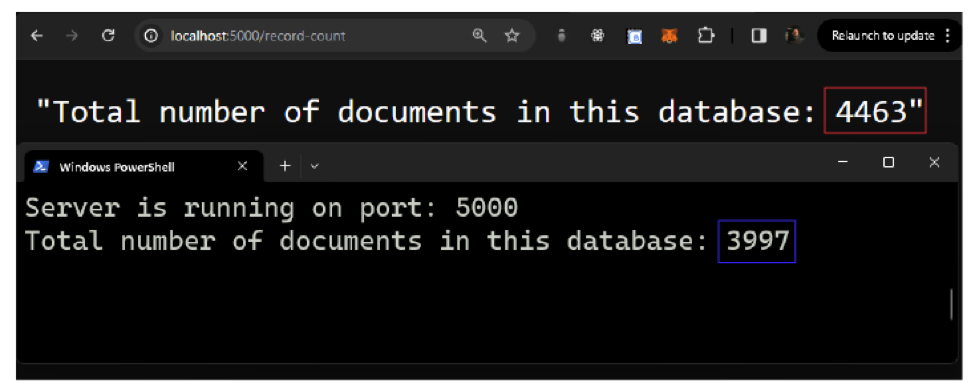
The sentence at the top displays the log of the total number of documents from the server files located inside the frontend part of the project (red rectangle). The one below shows the total number of documents being fetched from the backend (blue rectangle). After tinkering with the code for a couple of minutes, I went to the calculator to see what the difference between the two numbers was. The result was 466, the exact same number of documents saved in my refrigeratedfoodsections collection.
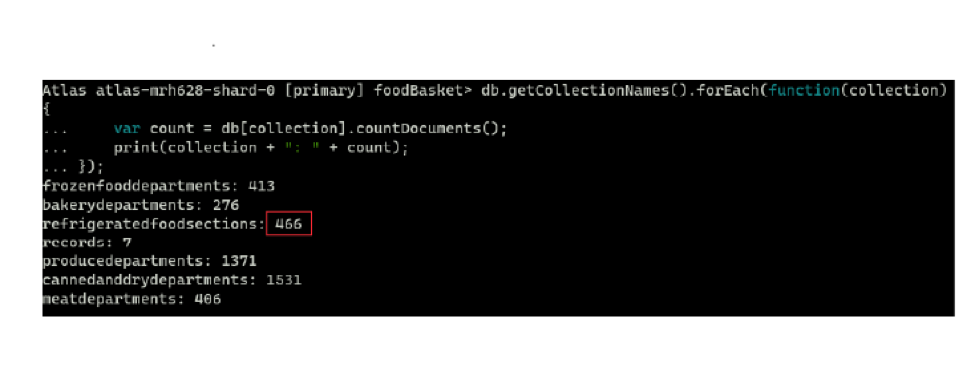
Right, now I just needed to discover what was causing this behavior. That wasn't too hard. I found a typo in the endpoint responsible for fetching the documents from this collection. MongoDB is case-sensitive when it comes to collection names, so it would never return the documents from my camel-cased sentence.
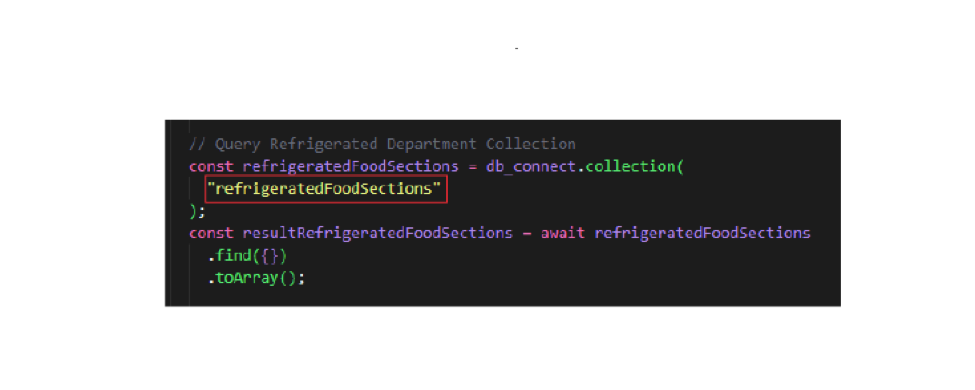
Okay, problem solved. Let's go back to the original plan. I was going to tackle the record count issue first. For that, I created a new endpoint for my API that would gather all the documents from all collections in my database and return their length. After that, I went to work on the total days my web scraper has been working.
I could've achieved that very easily by finding the difference between the current date (today, or whenever the app is accessed) and the first day I had the web scraper up and running (which in this case was 2023/10/27). But I wanted something more elaborate; I'm using this project to learn, after all. A couple of months ago, when I started developing my web scraper, I had already thought to include a date field in its schema for this very purpose. Now was the time to use it.
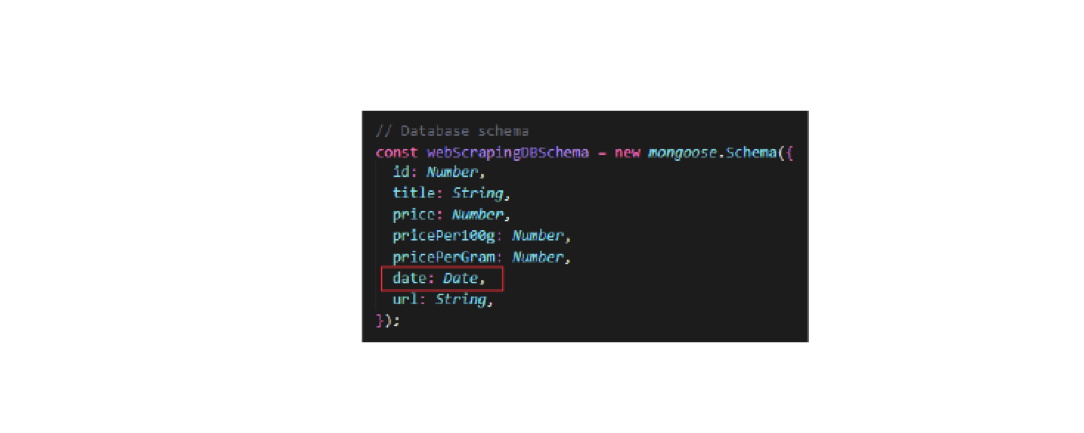
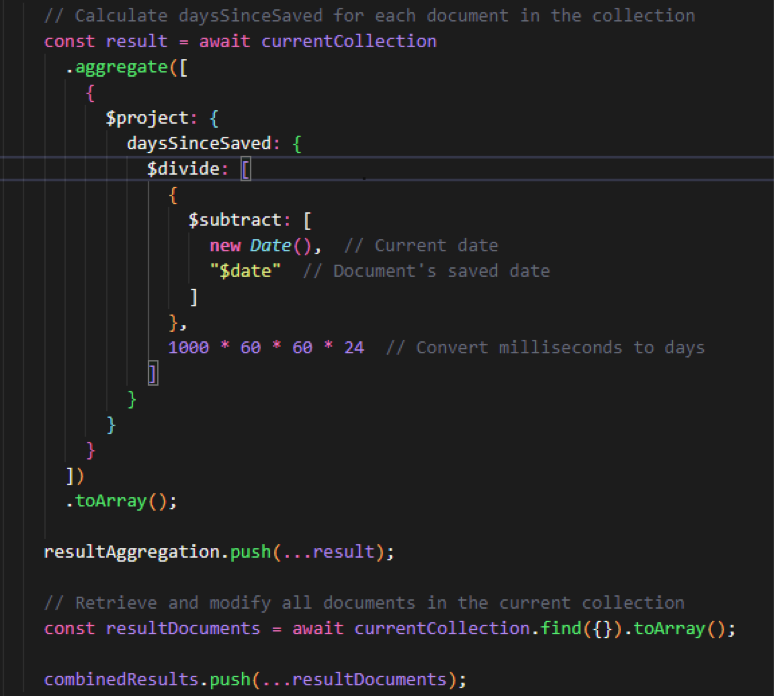
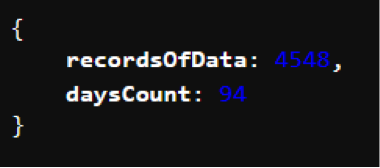
The first thing I had to do to get the total number of days was to create a new field in my database document. I achieved that by using MongoDB's aggregation pipeline. This pipeline was going to basically calculate the difference in milliseconds between two dates. After that, I needed to convert the milliseconds to days, and that was it. I gathered both results into an object and sent it to my /record-count endpoint. It wasn't actually as complicated as I thought it would be.
One last cool thing I wanted to do was to animate these numbers in my frontend. To do that, I used the react-spring package (react-spring on npm). And that was it for today I guess, another mission accomplished!!!